Password Generator
This password generator creates strong, unpredictable passwords directly in your web browser using cryptographically secure random values. It helps you replace weak credentials with high-entropy strings that resist automated cracking tools, credential stuffing, and brute force attacks. Adjust the length slider, pick your character sets or passphrase mode, and copy a secure credential to your clipboard in seconds.
Random Password Options
Include Characters
Advanced Options
Avoid (il1Lo0O)
Avoid similar chars
No passwords generated yet

Created by Ethan Park
Last updated: September 23, 2026
How to Create a Strong Password
A strong password serves as your first line of defense across email accounts, banking portals, and personal devices. Weak credentials like simple dictionary words or repeated number sequences take modern automated attack rigs less than a second to guess.
Follow these straightforward steps to generate a secure credential:
- Choose your credential style. Decide between a standard randomized character password or a multi-word passphrase. Passwords work best for standard site logins, while passphrases provide high security that remains easy to type on mobile devices.
- Set the total length. We recommend at least 16 characters for standard random passwords and at least four words for passphrases. Longer credentials provide exponentially higher mathematical resistance against guessing tools.
- Select your character types. Check the boxes for uppercase letters (A-Z), lowercase letters (a-z), numbers (0-9), and special symbols (!@#$%^&*). Combining distinct character pools expands the total number of possible combinations.
- Exclude confusing characters if needed. If you plan to read or write the password manually, turn on the option to avoid ambiguous characters like uppercase "I", lowercase "l", the number "1", and the digit "0" alongside capital "O".
- Generate and copy. Tap the generate button to refresh the string, inspect the strength meter, and copy the final result directly to your clipboard.
How the Password Generation Formula Works
Password strength is not a matter of luck. It relies on a mathematical concept called information entropy, measured in units called bits. Entropy measures the amount of uncertainty or unpredictability in a generated string.
The Entropy Formula
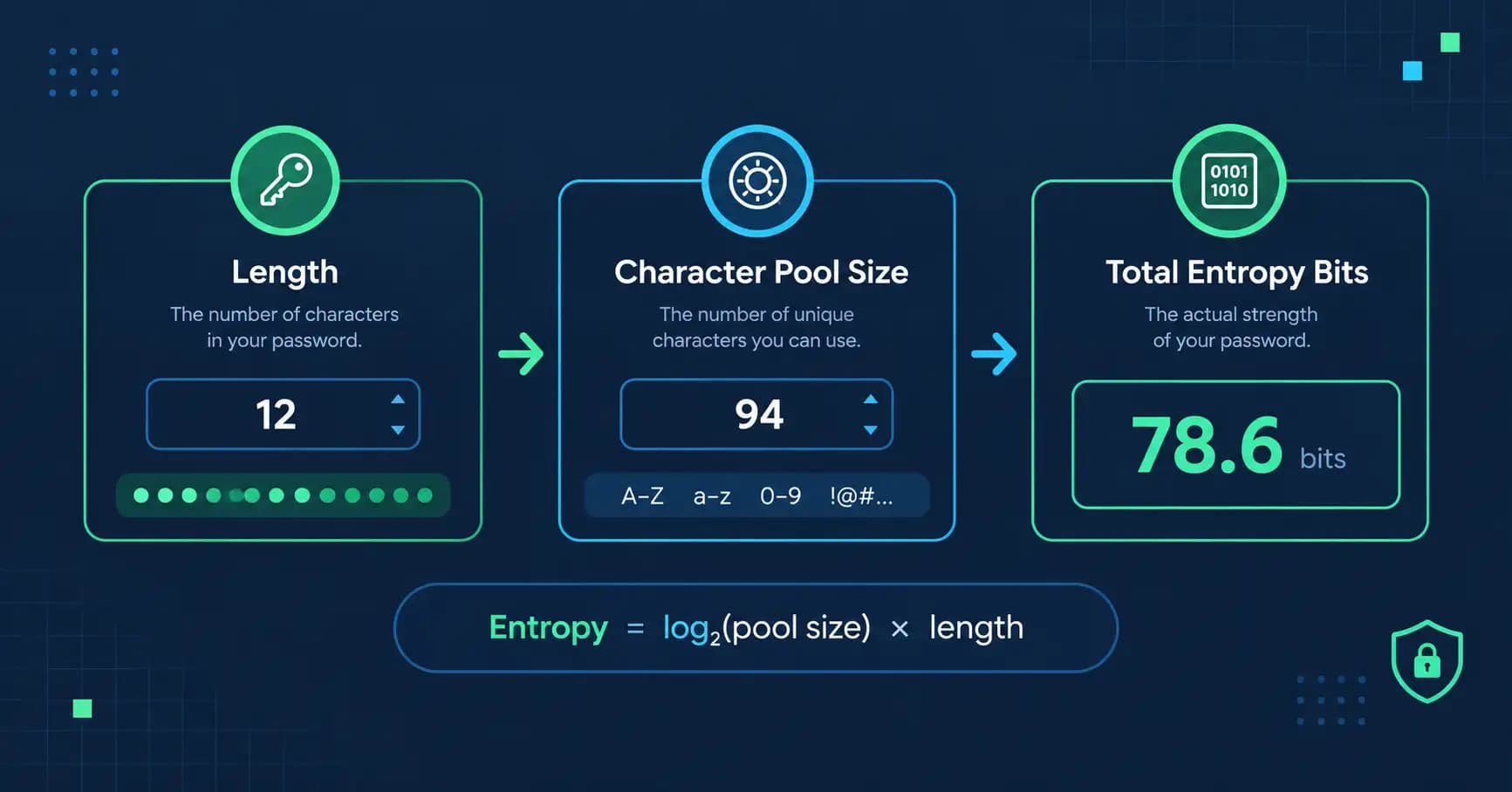
To calculate the strength of any random password, use the standard entropy equation:
Where:
- represents the password entropy in bits.
- represents the total character length of the password.
- represents the size of the character pool (the number of possible distinct characters available for each position).
- is the base-2 logarithm, which measures binary decision steps.
Character Pool Sizes ()
When you toggle options inside the tool, you adjust the size of the character pool ():
- Lowercase letters only (a-z):
- Lowercase and uppercase letters (a-z, A-Z):
- Letters and numbers (a-z, A-Z, 0-9):
- Full character set (letters, numbers, and 32 standard symbols):
- Diceware wordlist passphrases: words per position
Every character added to your length multiplies the total number of possible guessing combinations by the pool size.
Worked Calculation Example
Suppose you generate a 16-character password using uppercase letters, lowercase letters, numbers, and symbols.
Your character pool size () is:
Next, calculate the entropy per individual character:
Now multiply this value by the total length ():
A score of roughly 105 bits of entropy means an attacker faces possible combinations. Even an advanced supercomputer cluster testing 100 billion guesses every second would require billions of years to exhaust half that keyspace.
How to Read Password Strength and Crack Time
Password strength meters interpret entropy bits into practical categories. While theoretical crack times depend on hardware power and hash algorithms, entropy provides an objective standard.
| Entropy Level | Strength Rating | Security Profile | Recommended Application |
|---|---|---|---|
| Under 40 bits | Very Weak | Vulnerable to immediate brute force attacks | Never use for any account |
| 40 to 64 bits | Weak | Can be cracked within minutes to hours offline | Throwaway forum profiles only |
| 65 to 79 bits | Moderate | Resists basic online attacks, vulnerable to targeted offline rigs | Non-critical web accounts |
| 80 to 99 bits | Strong | Secure against modern hardware clusters for years | Social media, personal email |
| 100 to 127 bits | Very Strong | Virtually uncrackable with current compute power | Primary bank accounts, password vaults |
| 128+ bits | Military Grade | Exceeds foreseeable cryptographic compute capacity | Master passwords, root server keys |
Offline cracking occurs when a hacker steals an encrypted database of password hashes and tests billions of combinations per second on private graphics cards without being locked out. Online cracking happens directly at a website login screen, where firewalls and rate limits slow down guesses. You should always configure your passwords to withstand offline cracking scenarios.
Passwords vs. Passphrases: Which Should You Use?
Random character passwords and multi-word passphrases both offer excellent security, but they serve different needs.
A randomized password looks like k9#mQ2$vL8!xP4*w. It packs high entropy into a compact length. This format works perfectly when paired with an automated password manager that autofills credentials into browser fields. However, typing 16 random characters on a mobile device or a smart television keyboard can feel frustrating.
A passphrase strings together randomly chosen dictionary words, such as correct-horse-battery-staple or timber-falcon-velvet-cobalt. Because each word is pulled randomly from a recognized list of thousands of terms, passphrases achieve substantial entropy while remaining easy to remember and type.
Use standard random passwords for:
- General online accounts saved inside a password manager
- Database access strings and API tokens
- Wi-Fi network security keys
Use multi-word passphrases for:
- The master password protecting your password manager vault
- Your computer or phone screen lock code
- Accounts you frequently access on mobile devices or game consoles
Where to Use Different Types of Generated Credentials
Different digital environments impose different rules on input characters and lengths. Here is how to pick the right settings:
Banking and Financial Services
Financial institutions frequently impose strict character limits or disallow certain special characters. Use a 16 to 20 character length with uppercase, lowercase, and numbers. If the bank permits symbols, include them to maximize entropy.
Work Email and Primary Communication
Your primary email address is the recovery point for every other account you own. If an attacker breaches your primary inbox, they can reset passwords on your financial and personal profiles. Protect this account with a random password of at least 20 characters, or a passphrase consisting of five random words, paired with two-factor authentication.
Shared Home Wi-Fi Networks
Typing symbols on guest phones or home media devices causes errors. Generate a four-word passphrase joined by hyphens. It delivers roughly 51 bits of entropy, which prevents neighborhood drive-by attacks while staying easy to dictate to visitors.
Common Password Mistakes to Avoid
Even a randomly generated password loses its protective power if handled incorrectly. Avoid these common traps:
- Reusing credentials across sites: If you use the exact same password on five websites, a data breach at the least secure company exposes your login details across all five. Every single profile needs a unique string.
- Adding minor personal tweaks to old passwords: Changing Winter2025! to Spring2026! does not fool modern cracking software. Automated tools specifically test common seasonal words, years, and predictable capitalization patterns.
- Shortening passwords to satisfy memory: Length matters far more than complexity. A 16-character string made of only lowercase letters and numbers contains roughly 78 bits of entropy. An 8-character string loaded with symbols contains only 52 bits. Length always wins.
- Storing passwords in unencrypted files: Pasting generated credentials into plain text files, browser note tabs, or draft emails leaves them exposed to basic malware. Use a dedicated encrypted password manager or physical notebook kept in a secure location.
- Relying on predictable character substitutions: Replacing the letter "E" with "3" or "A" with "@" is a known technique called leetspeak. Cracking dictionaries test these exact character substitutions automatically.
Edge Cases and Practical Limitations
Understanding system boundaries ensures your generated strings function smoothly across diverse software platforms:
Character Encoding and Older Web Forms
Some older legacy portals run on character encodings like ASCII and fail to process extended UTF-8 punctuation symbols. If a site rejects your credential, clear the symbol checkbox and increase the total length from 16 to 20 characters. This maintains identical entropy while using only standard alphanumeric characters.
Minimum and Maximum Length Limits
Certain systems still enforce outdated rules, such as an 8-character minimum or a 16-character maximum. When dealing with systems that cap passwords at short lengths, ensure every character category (uppercase, lowercase, numbers, and symbols) is checked to extract the highest possible mathematical entropy from limited slots.
Truly Random vs. Pseudorandom Generation
Web browsers generate random numbers using either math algorithms or operating system entropy. Standard JavaScript mathematical functions are predictable and insecure for cryptographic use. A secure generator must use the native Web Cryptography API, which draws random numbers from hardware noise collected by your computer operating system.
Frequently Asked Questions
Is it safe to generate passwords on an online website?
Yes, provided the tool executes entirely inside your browser using client-side JavaScript. This tool generates your password locally on your device and never transmits the generated string across the internet or saves it to an external database.
What is the minimum password length I should use?
You should use a minimum of 12 to 16 characters for regular websites. For sensitive profiles like bank accounts, email addresses, and password vaults, select 16 to 20 characters or a passphrase made of at least four random words.
Are passphrases really as secure as random character strings?
Yes, passphrases are extremely secure when the words are selected completely at random from a large dictionary list. A passphrase made of five random words provides roughly 65 bits of entropy, which is exceptionally difficult for brute-force tools to crack while remaining simple to type.
What makes a password strong?
Length and unpredictability determine strength. A strong password uses a long sequence of characters chosen without recognizable human patterns, dictionary phrases, birthdays, names, or keyboard walks like "qwerty".
Can hackers crack a 16-character random password?
With current computing technology, an offline brute force attack against a true 16-character random password containing letters, numbers, and symbols would take billions of years. Attacks succeed through data leaks, phishing, and password reuse, not by guessing long random strings.
Should I change my passwords every 30 to 90 days?
Modern security standards from organizations like the National Institute of Standards and Technology (NIST) no longer recommend periodic password resets unless you suspect a breach. Frequent reset mandates cause users to pick predictable variations of their old credentials. Focus on creating unique, long passwords and keeping them until a compromise occurs.
What does the Web Cryptography API do?
The Web Cryptography API is a built-in browser interface that provides access to cryptographically secure pseudorandom number generators (CSPRNG). It ensures the random values used to construct your password cannot be predicted by analyzing previous outputs.
Why do some websites reject passwords with symbols?
Certain older website databases contain legacy code that mistakes special characters for database programming commands. When you encounter a website with these limitations, disable symbols in the generator and increase the character length to 20 or more to compensate.